
YARNHEAD

CASE STUDY
Building a commerce site with WordPress designed for selling hand-made crochet projects
SKILLS: HTML, CSS, WordPress, Canva, Photography
DATE: Spring 2024
OVERVIEW
For this project, I was tasked with creating a fully functional commerce site using WordPress and the WooComerce plugin that included a home page, 6–8 products, and a page listing these products. We also had to incorporate plugins, widgets, a variety of blocks, and custom CSS.
I decided to create a commerce site called YARNHEAD to sell a variety of crochet hats that I made. The shop page displays 8 different products for sale: the bandana, the beanie, the bucket hat, the cat beanie, the chunky beanie, the fluffy beanie, the star beanie, and the toy beanie.
MASTERING
THE PROCESS
The Challenge
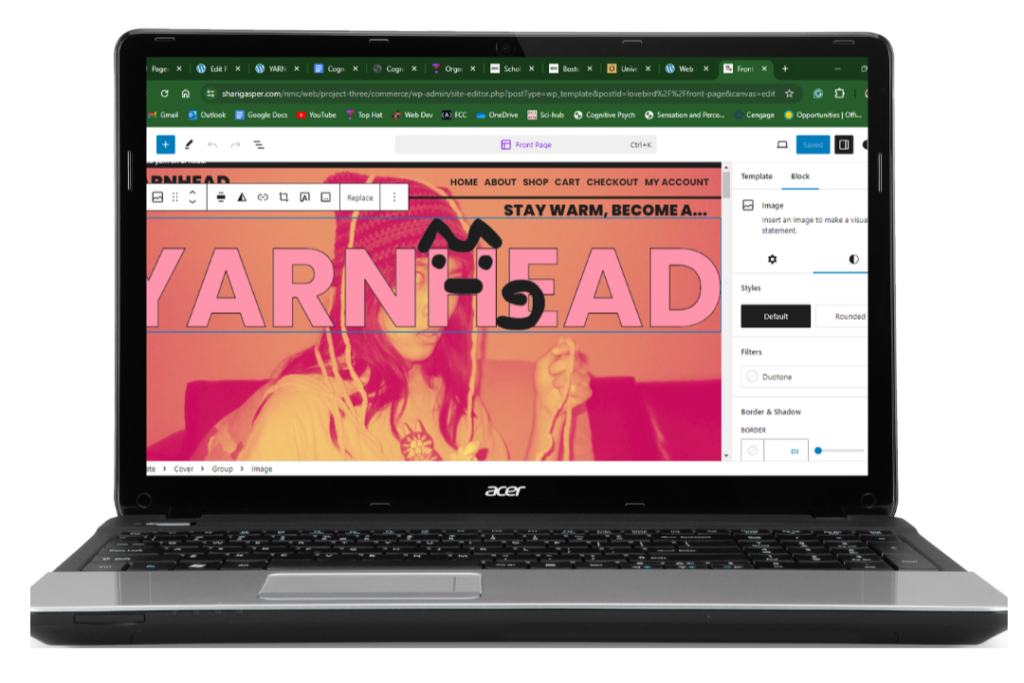
I had to adapt to using WordPress and WordPress plugins. Finding out how to change what and where things were located was the most challenging aspect of the project, especially with the shift to full-site editing. Furthermore, I had to harness my previous knowledge of HTML and CSS to customize my theme to fit my vision. I wanted the YARNHEAD website to be user-friendly and aesthetically pleasing with a kitschy, 90s pop-culture magazine look.
The Solution
I decided early on to change my initial theme and start from scratch when I realized it didn’t fit my site concept well. This was a good move because the new theme I chose made it easier to make my vision come to life. However, with this theme shift came an adjustment to using the site editor as it differs for every theme. I discovered that I had to edit the template in the site editor for each page that I wanted to change (home, about, etc.). In addition to the templates included in the theme, WooCommerce also had templates for pages such as Cart and Checkout.

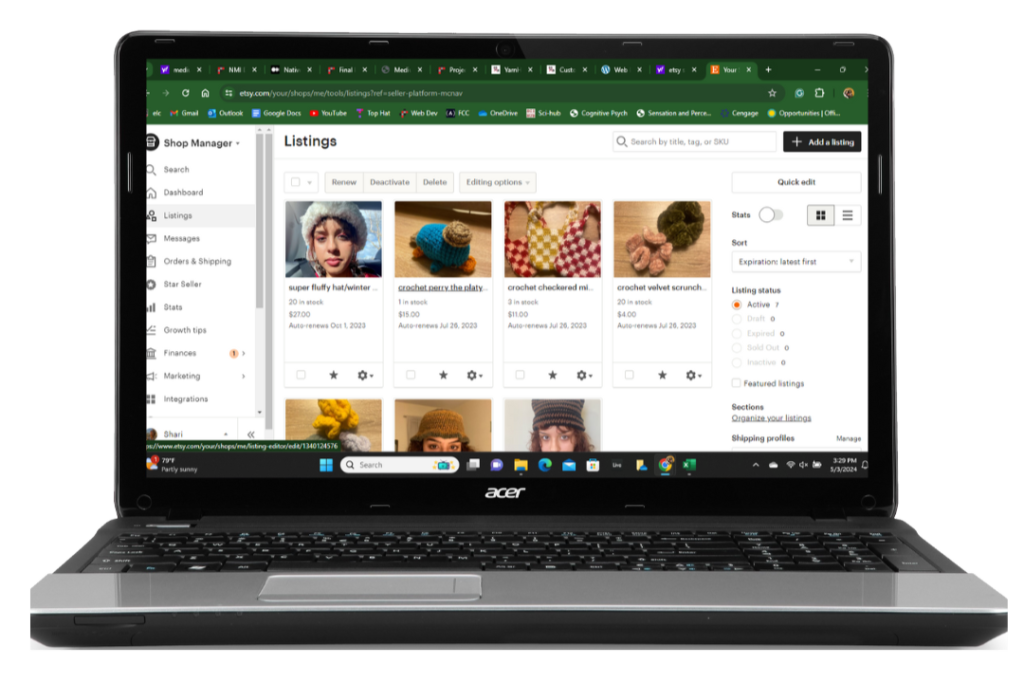
Once I got the logistics of using a CMS sorted out, I began to work on adding my products. I took this project one step further by including real products I made myself. I have been crocheting for years and tried to start an Etsy shop a year ago, but didn’t have the time to upkeep it and properly promote my products. I decided to take this project as an opportunity to re-create my Etsy shop and refine the concept for my shop. I centered my website around selling crochet hats because I already had a supply of ones I had made over the years. I discovered that adding products using the WooCommerce plugin was similar to adding products on Etsy (adding descriptions, variation, quantity of products, etc.), so I didn’t experience many difficulties navigating this plugin.
I took all the product pictures using a digital camera with a flash. I had my friends model the products and we brainstormed the concepts for each shoot ourselves. For example, we decided to do a monochrome orange concept for the shoot for “the beanie.” We spraypainted a phone we bought at the thrift store to use as a prop. For the shoot for “the chunky beanie”, we had a picture of snowy mountains on a TV in the background and my friends wore a bunch of jackets for an oversized, winter look. We did these shoots over a couple of days. Although each shoot was unique, each had a similar over-the-top DIY aesthetic. I was extremely pleased with the overall results of the photoshoots.








I made the logo and site icon for YARNHEAD myself using Canva. I had multiple prototypes before I settled on my final logo and site icon. I found the font I used on my website and drew on the letter H to make it look like a cat. Then I downloaded the logo as a PNG and used it as an image on my site.



I incorporated multiple plugins into my website. One of these is Blocks Animation, which allows you to add CSS Animations to Glutenberg blocks. I used the Fade-In-Down animation on most of my blocks to add, which gave my website a sleeker, more modern look. Another plugin I used was Metaslider which allowed me to make a slideshow. I sped up the slideshow frame rate so it looked like stop-motion.
I decided to add custom CSS to change the hover-background color for my links. To do this I had to use an inspector to identify classes so I could use them in my custom CSS.
THE RESULTS
This project allowed me to branch out my creativity in new ways and I thoroughly enjoyed working on it every step of the way. I learned how to use the full-site editor on WordPress to edit and customize a theme. With this came adding and editing text and image blocks. I also learned how to use plugins like WooCommerce and MetaSlider in WordPress. I gained more skills with using the inspector to identify classes so I can use them to customize CSS.